How to Send a Blank Message on WhatsApp
Published September 29, 2026 · Invisible Character Copy

Why WhatsApp blocks empty messages
Send a message with only spaces and the Send button stays gray. WhatsApp needs at least one real character — and it trims plain whitespace, so spaces don't count. The trick: send a character WhatsApp counts as text but shows as nothing. That's an Invisible character.
The bubble arrives completely empty on their phone. Fun prank, great way to grab attention in a group — and it works in 1-on-1 chats, groups, and broadcast lists.
Which invisible characters work on WhatsApp
Not every invisible character survives WhatsApp's filters. These are the most reliable right now, in order:
- U+3164 Hangul Filler (ㅤ) — your best first pick. Works on iOS, Android, and WhatsApp Web.
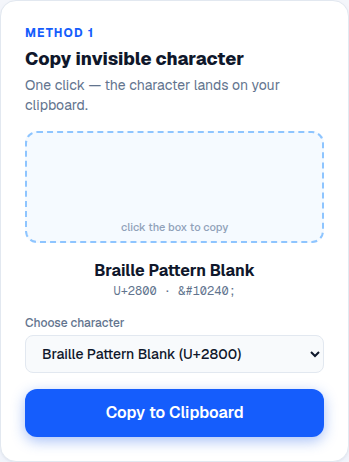
- U+2800 Braille Pattern Blank (⠀) — the classic fallback if the first one gets trimmed.
- U+200E Left-to-Right Mark — WhatsApp treats it as real content.
- U+200B Zero Width Space — works sometimes, gets filtered on others. Less reliable.
How to send a blank message (step by step)
The process takes about ten seconds:
- Copy an invisible character from our blank text generator above.
- Open the WhatsApp chat where you want to send it.
- Tap the message field and paste — the field looks empty, but the Send button activates.
- Tap Send. The recipient sees an empty message bubble.
How to post a blank text status
You can also post a status that's just a blank colored background:
- Go to the Status tab and tap the Text (pencil) option.
- Paste the invisible character into the text field.
- Pick a background color and tap Share.
- Your contacts see a blank colored status. Mysterious — and it often gets replies asking what it is.
How to set a blank About (profile info)
Want a minimal profile? You can blank your About line too: open Settings, tap your profile, open About, clear the field, paste U+3164 or U+00A0, and save. Your profile shows an empty info line.
Troubleshooting
Two things can go wrong. If Send stays gray, WhatsApp trimmed your character — try a different one or paste more copies. If the other person sees a box instead of nothing, their phone's font is missing that character — pick a different one from the list. Pro tip: pasting multiple copies makes a taller empty bubble, which is funnier as a prank.
Try it right now
Generate invisible characters and copy them in one click.
Open Blank Text Generator →Frequently asked questions
No. The bubble arrives completely empty — on some devices the timestamp next to it is the only thing you can see.