Discord Invisible Name Not Working? 7 Fixes That Actually Work
Published September 29, 2026 · Invisible Character Copy

Fix #1: You're editing the wrong name
This is the #1 cause, by far. Discord has three different names, and they follow different rules:
- Server nickname — per-server, fully free-form. Invisible characters work great here.
- Display name — your global profile name, also free-form. Invisible characters usually work.
- @username — your unique login handle. Restricted character set, and no invisible-character trick can ever work here.
Fix #2: Try the characters in this order
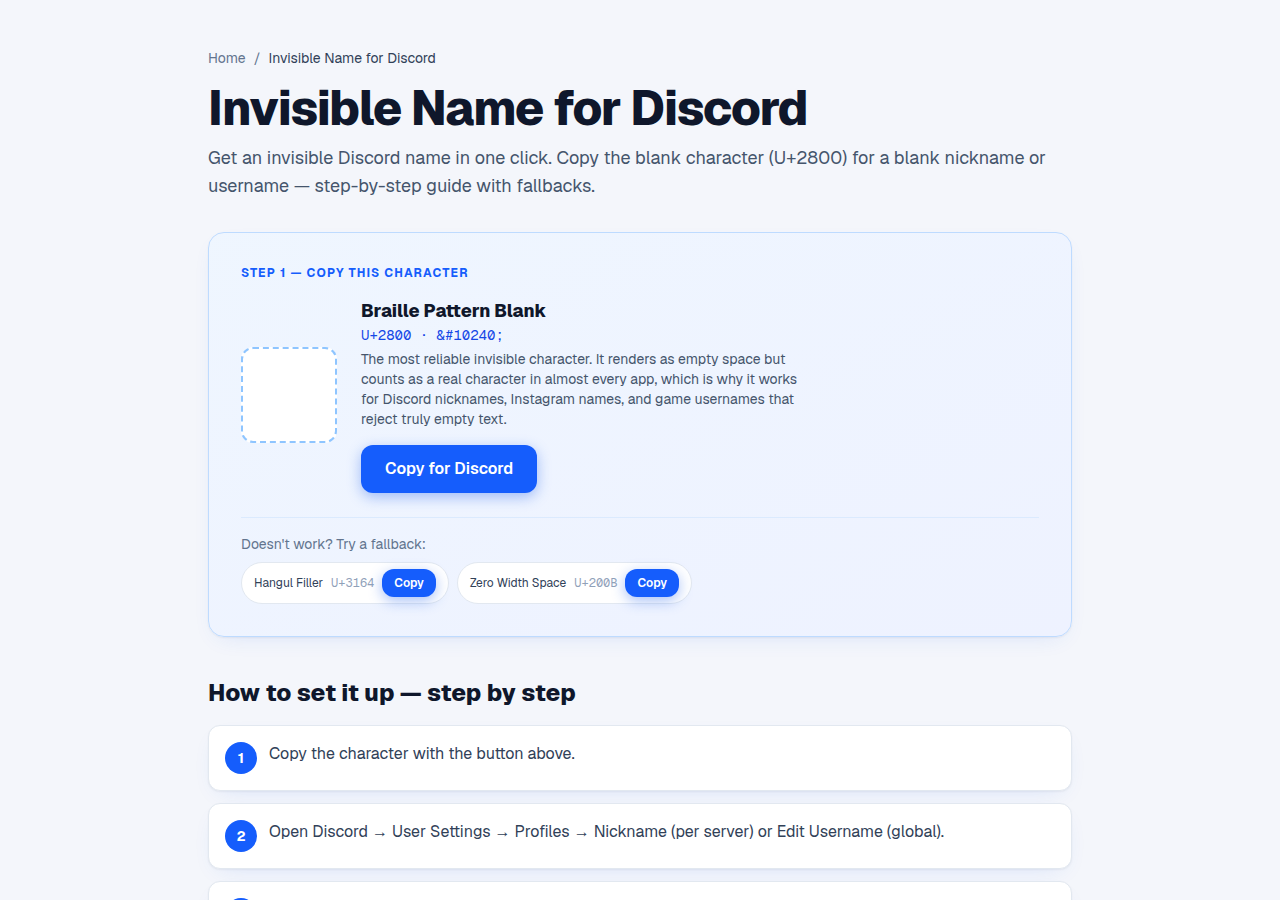
Different characters pass different filters. Copy an Invisible character from the homepage and try them in this order:
- U+2800 Braille Pattern Blank — it's filed as a symbol, so it passes filters that block Hangul characters.
- U+3164 Hangul Filler — it's filed as a letter, so filters that reject “empty” names let it through.
- U+115F + U+1160 together — the Hangul choseong/jungseong fillers. This pair often survives when single characters get stripped out.
Fix #3: Switch between mobile and desktop
Users consistently report platform differences: U+3164 tends to work better in Discord's mobile app, while U+2800 does better on desktop. One popular character used to render blank only in the desktop app — not on web or mobile. If a character fails on one platform, try the other before you give up.
Fix #4: Check the member list, not the edit box
A nickname can look accepted in the edit box but get cleaned up when you save — “it looked blank while typing, then reverted.” Don't judge by the edit box. Save, then check the member list on the right side of the server. That's the real answer.
Fix #5: Understand what invisibility doesn't do
Even with a perfect invisible name, @mentions still work (they're tied to your account ID, not your name), people can still find you by @username, and mods and audit logs see your account either way. Invisibility is cosmetic — it doesn't hide you from mods or search.
Fix #6: Remember Discord killed discriminators
Since 2023, Discord dropped username#0000 discriminators and moved to unique lowercase @usernames plus free-form display names. That's why display names are flexible but usernames are locked down — and why old tutorials about discriminators are outdated. Discord has also tightened display-name checks since then, so a character that worked a year ago may get stripped now.
Fix #7: The full checklist
Run through this in order and you'll get it working:
- Confirm you're editing the display name or server nickname — never the @username.
- Try U+2800, then U+3164, then the U+115F/U+1160 pair.
- Verify in the member list after saving, not the edit box.
- Try the other platform (mobile vs desktop).
- If all else fails, wait — Discord tightens its checks in waves, and a character that fails today might pass after the next update.
Try it right now
Step-by-step Discord guide with the right character for each field.
Open Invisible Name for Discord →Frequently asked questions
No. The @username only allows a small set of characters, and no invisible-character trick gets around that. Use your display name or a server nickname instead.